Creating a well-organized home office is key to maintaining focus and increasing productivity. With more people working from home, having a dedicated and tidy workspace makes a significant difference in comfort and efficiency. Whether you’re starting fresh or looking to improve your current setup, these simple and effective ways to organize your home office will help you work smarter, not harder.
Why Organizing Your Home Office Matters
A cluttered space can lead to a cluttered mind. When your desk and office area are messy, it becomes harder to find important documents, focus on tasks, and manage time effectively. Organizing your home office helps:
– Reduce stress and distractions
– Save time looking for supplies or files
– Create a professional environment for video calls
– Foster creativity and clear thinking
Step 1: Choose the Right Location
Not all spaces at home are equally suited for a home office. Pick a spot that meets the following criteria:
– Quiet and low-traffic area
– Good natural light, if possible
– Enough room for your desk, chair, and storage
– Close enough to necessary resources, like power outlets and internet connection
If space is limited, consider compact furniture or multi-purpose rooms.
Step 2: Declutter and Clear Your Workspace
Before adding organizing tools, start by decluttering:
– Remove everything from your desk and surrounding area
– Sort items into three groups: keep, relocate, and discard
– Only keep essential items within arm’s reach
– Digitize paperwork to reduce physical clutter
Regularly clearing your space can keep clutter from building up over time.
Step 3: Use Functional Furniture and Storage
Invest in furniture that supports your productivity:
– Ergonomic Chair: Supports good posture for long hours
– Desk with Drawers or Shelves: Provides extra storage space
– Filing Cabinet or Storage Bins: Organizes documents and supplies
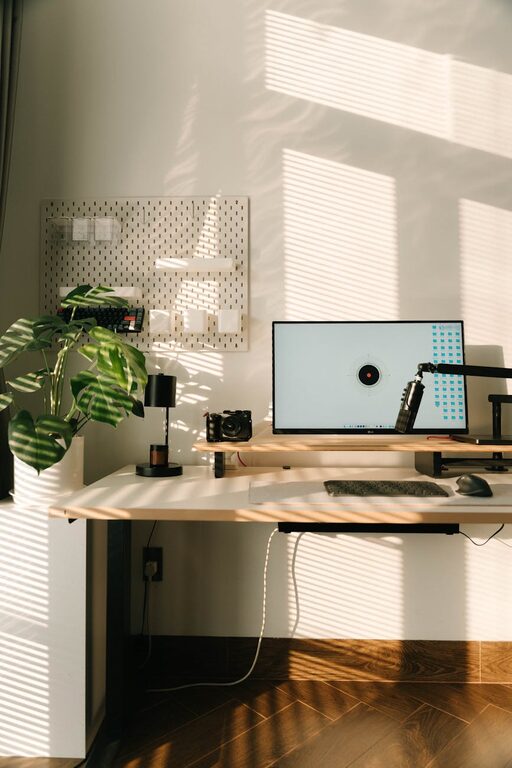
Use vertical space by adding shelves or pegboards to keep frequently used items visible but off the desk.
Step 4: Organize Your Desk Essentials
Keep your desk neat with practical organization tools:
– Desk Organizers: Hold pens, paper clips, and sticky notes
– Cable Management: Use clips or sleeves to keep cords tidy
– Trays or Baskets: Collect mail and loose papers
– Monitor Stands: Raise screens to eye level, with space underneath for storage
Limit desk accessories to items you actually use daily to avoid overcrowding.
Step 5: Create a Filing System
Maintain a clear filing system for your documents:
– Use labeled folders or binders categorized by type (bills, projects, receipts)
– Digital file management can complement physical files, with scanned copies organized in folders on your computer
– Regularly review and archive or shred outdated documents
A reliable filing system saves time and reduces paper waste.
Step 6: Utilize Daily and Weekly Planning Tools
Keep productivity on track with simple planning:
– Use a planner, calendar, or digital app to schedule tasks and deadlines
– Prioritize your to-do list and break projects into manageable steps
– Set specific work hours and take regular breaks to maintain energy
Visual reminders on a whiteboard or corkboard can help track goals and deadlines.
Step 7: Personalize Your Space Thoughtfully
Adding personal touches can make your workspace inviting without causing distraction:
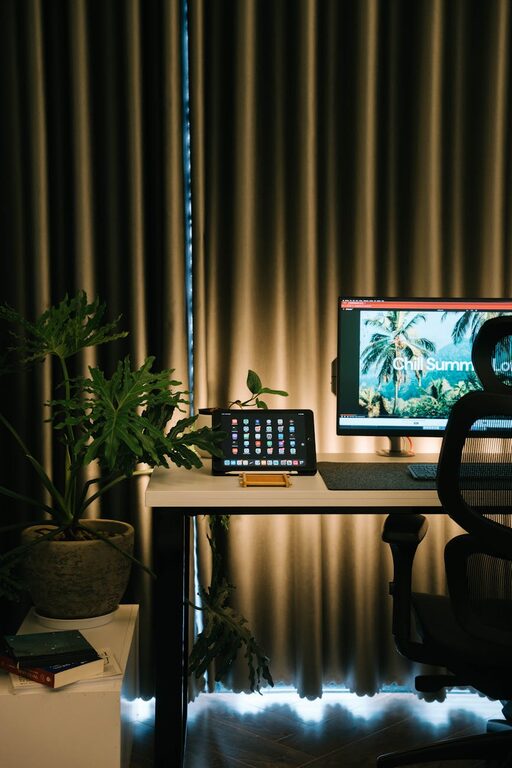
– Include plants for a touch of nature and fresh air
– Display a few photos or artwork
– Choose calming colors and good lighting to create a comfortable atmosphere
Balance personalization with simplicity to maintain focus.
Step 8: Maintain Your Organized Space
Organization is an ongoing process. Set habits to keep your home office tidy:
– Spend 5–10 minutes at the end of each day tidying your desk
– Regularly reassess and adjust your system as needed
– Keep cleaning supplies handy to quickly wipe down surfaces
Consistency will help sustain your productivity in the long run.
—
Organizing your home office doesn’t have to be overwhelming or expensive. With a few thoughtful steps and regular upkeep, you can create a space that supports your work and helps you accomplish more every day. Start small, stay consistent, and enjoy the benefits of a clutter-free, efficient workspace.
About the Author